
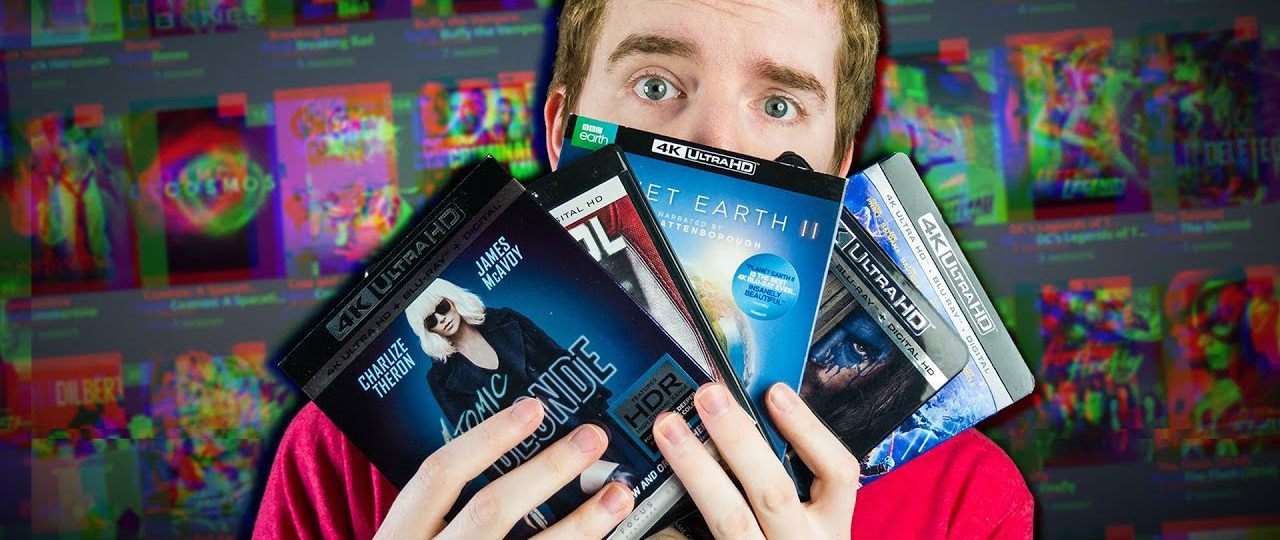
If you still own 1080P and 4K Blu-ray discs, you should back them up! Although it’s a legal gray zone, the problem is those discs don’t last forever. We compiled the nine best Blu-ray copying, ripping, and converting tools.
It’s becoming very common these days for people to convert their Blu-ray discs to a common format. This is despite the fact that the exact legality of making backups is murky at best. But my own personal opinion is that “if you own it, you can do what you want with it”. Watch it, eat it, use it as a frisbee in the park, whatever.
But how do you do it? Which programs are the best at ripping Blu-ray discs? Which ones eat copy protection for breakfast? Here are eight Blu-ray ripping tools to consider.
1. Acrok Video Converter Ultimate
Rip and convert Blu-ray for playing, editing, and sharing; back up Blu-ray with one click.
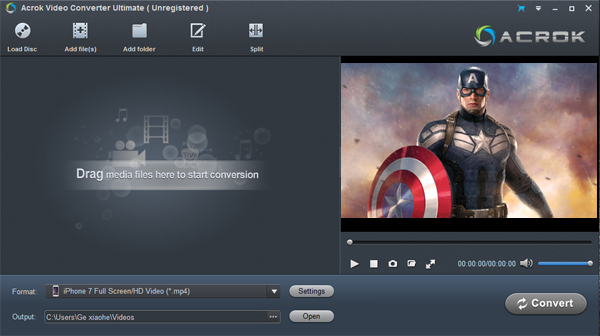
Acrok Video Converter Ultimate is really an all-in-one solution to rip Blu-ray discs, DVD discs, and ISO files, and convert popular video files to any format. With this best Blu-ray ripping software, you can easily convert any movie to the best supported formats for editing software or portable devices. There are many optimized formats for all popular devices and editing software. With this best Blu-ray converting program, you can transfer and play Blu-ray/DVD/4K/HD movies on any device easily. For example, you can rip Blu-ray to Android and iOS tablets, convert Blu-ray to a smart TV supported video format, back up Blu-ray to MKV on Windows or macOS, or transcode Blu-ray to Final Cut Pro’s best editing codec/format, etc.
WWith this best Blu-ray ripper, you can back up your movie collection and save it digitally for easy and convenient streaming around your home.
This all-in-one conversion software provides lots of useful functions. You can choose the audio language or subtitle track from the movie, and output video with 5.1 Dolby surround sound. Besides, you can trim, crop, add a watermark, add subtitles, convert 2D Blu-ray to 3D movies, or adjust effects on the video. You can also extract audio from any video and convert it to any audio format on Sequoia 15/Sonoma 14 or Windows 10/11.
Want to get a free Blu-ray player? It’s a free Blu-ray player too.
Free download and try the best Blu-ray ripping software in 2026.
40% OFF Coupon Code: ACROK-30-OFF
2. MakeMKV
Intuitive cross-platform tool to rip Blu-rays.
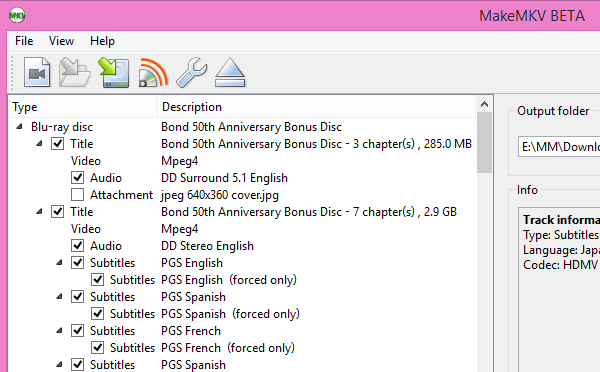
I have previously written about MakeMKV, where I showed my love for this app. It is simply a case of inserting the disc, then pointing and clicking. Don’t touch the other settings unless you absolutely know what you are doing. Choose whether you want subtitles or not. Choose your language. Deselect everything you don’t need. Then let MakeMKV do its work. Ripping Blu-rays takes from 30 minutes to a couple of hours, depending on the length of the movie and the extras you want.
The one downside is that you will end up with enormous files if you rip a Blu-ray (up to around 6GB is common). But this is a crystal-clear copy of the disc. For archiving purposes, it is perfect. However, if space is tight, you can convert it to MP4 or AVI formats, which will shrink the file considerably. You can’t edit Blu-ray with MakeMKV, as the output options are too few to meet user needs.
3. Handbrake
A versatile cross-platform and open-source application that supports multiple output formats and can also convert files.
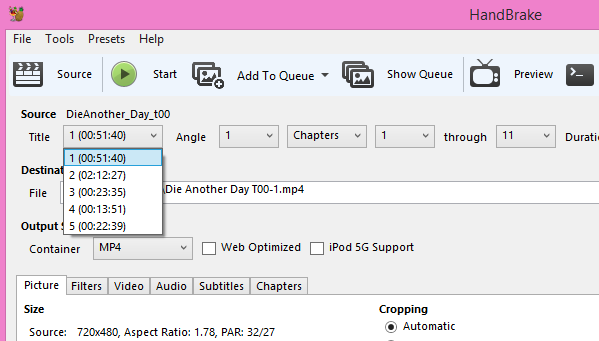
This leads me neatly to Handbrake. You can use Handbrake for converting those big MKV files into MP4 files, and you can also directly rip Blu-ray discs to MP4 or MKV. Choose a profile depending on what device you are ripping for (e.g., iPad, iPhone, etc.), decide if you want the subtitles, then hit Start. The other settings should be left alone unless you know exactly what you are doing.
The software is cross-platform, free, and open-source. Plus it is in continual development, so it has the potential to get better and better.
4. Leawo Blu-ray Ripper
Rip Any Blu-ray discs to 100+ video formats
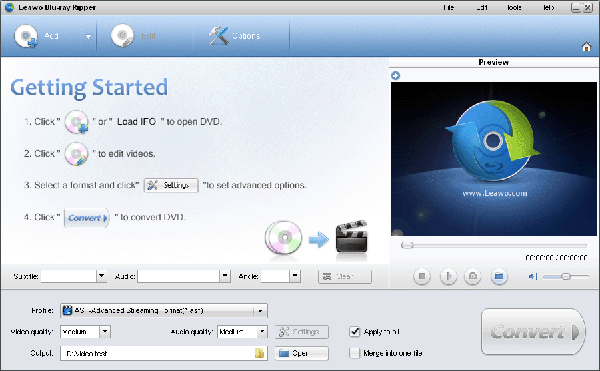
Rip Blu-ray to video and convert it to 100+ formats like MP4, AVI, FLV, MKV, MPEG, WMV, MOV, etc., for multiple media players or portable devices such as iPhone 6, iPhone 6+, iPad, iPod, Android tablets and phones, Windows phones, and more.
A good Blu-ray ripper software supports ripping any Blu-ray, including homebrew Blu-ray, to 100+ video formats.
5. Freemake Video Converter
A great Windows tool to not only rip discs but also convert and merge files.
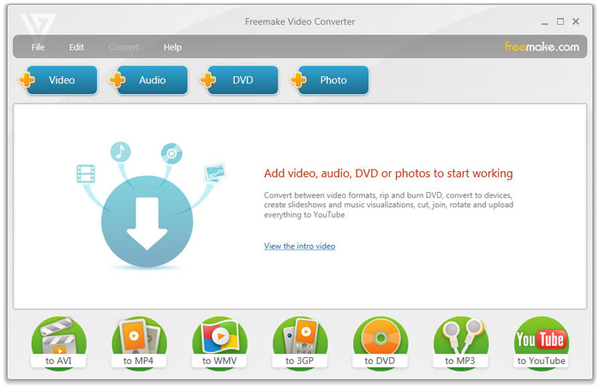
Freemake is one of my favorites, because it has never once screwed up anything I have thrown at it. You just need to insert the disc, point Freemake toward the disc’s folder, decide what format you want it converted to, and Bob’s your uncle. You can even join files to have one big merged file. Videos can also be converted to Flash or HTML5, as well as MP3.
6. Pavtube BDmagic
Will convert your Blu-rays to various outputs, including mobile-ready file formats.
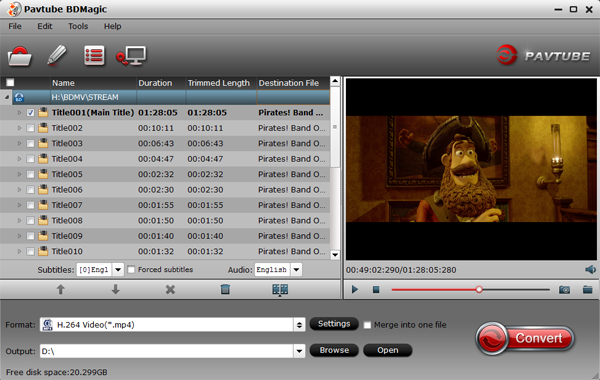
With Pavtube BDMagic, you can convert 2D Blu-ray, 3D Blu-ray, and standard DVD to SD or high-definition formats, or even create 3D videos with excellent video/audio quality at fast conversion speeds. This BD/DVD to video tool can output various video and audio formats, like H.265/HEVC, MKV, MP4, MOV, DivX, AVI, MP3, FLAC, etc., so you can make a duplicate copy for your video collection, or share movies on a number of popular media players, such as Apple media devices, Android smartphones and tablets, Windows media players, various smartphones, and more. Besides, you can easily customize your Blu-ray/DVD collection to export desired movies in your own way.
7. Aurora
Rips Blu-rays to ISO files on Windows and Mac.
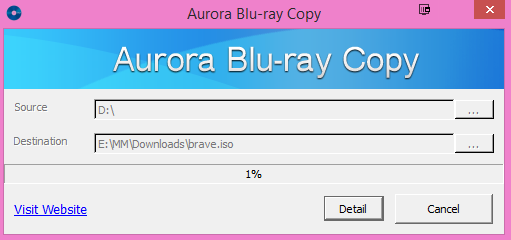
Aurora is free cross-platform (Windows & Mac) software which focuses on Blu-rays only. It will rip the Blu-ray disc into an ISO file, and then burn the ISO file onto blank discs (if you want to do that part). It claims it can “easily decrypt any type of Blu-ray”, and when I tested it on a Blu-ray of mine, the conversion was indeed very fast.
Aurora also claims that it can work on Windows computers as old as XP (SP2). On a Mac, it will work on computers running OS X 10.6.
8. DVDFab Blu-ray Ripper
A Windows-only Blu-ray ripping tool (also works for DVDs) that can rip a batch of titles at the same time, rip audio only, or specific segments.
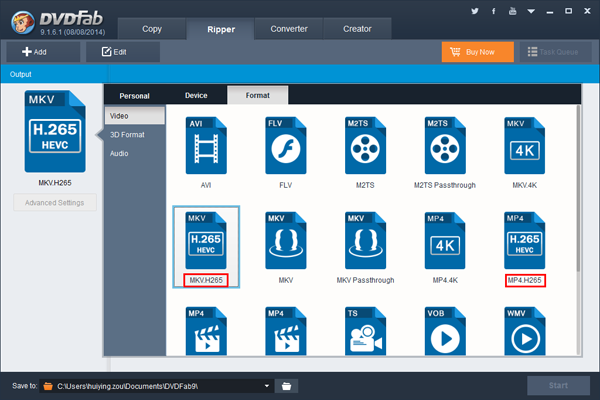
DVDFab is a ripping app which has received a lot of positive praise from friends. As well as ripping discs to the usual formats, it can also rip only the audio. So if you are after a piece of music for your iPhone/iPod, then DVDFab Blu-ray Ripper can grab it for you. Batch conversion allows you to rip more than one title at a time, and the whole software runs on open-source code.
Specify exactly the start point and end point that you want converted from a disc (which is great for music concerts), and you can also automatically crop the screen to show what you want.
What makes for good Blu-ray ripper software?
The best Blu-ray rippers have a variety of features and tools that allow you to rip and convert Blu-rays, as well as edit the resulting files. Below are the criteria we used to rate and rank these applications:
Ripping attributes:
The best Blu-ray rippers convert quickly, and the files they convert are high quality and of manageable size. Also, an application’s interface should be intuitive and allow you to start a rip in three steps or less. Furthermore, the best rippers can extract audio clips from discs, capture subtitles, and more. When we assessed each program’s ripping attributes, we considered which features and tools it has, as well as how well they work.
Can I get any good free Blu-ray ripper software?
If you’re short on cash or only need the bare minimum from a Blu-ray ripper, MakeMKV may suit your needs. It is free (for one month) and open-source software that’s been around for a long time. The program can rip Blu-rays, but like Prism, it’s limited to ripping unprotected discs. Plus, it’s a bit too advanced for casual users. Unless you’re a media whiz, you’re better off paying for an easy-to-use program like the ones we reviewed.
Conversion choices:
Every application we reviewed has the ability to convert Blu-rays into the most popular video file formats such as MP4, M4V, MKV, MOV, and AVI. But the best go far beyond that. They offer a library of preprogrammed optimization profiles for specific devices such as Galaxy Note 20, iPhone 13 Pro Max, Xbox Series X, PlayStation 5, Android smart TVs, and more.
The usefulness of these programs increases as the number of options rises. For example, our top pick allows you to optimize your Blu-ray conversions for more than 100 specific smartphone and tablet models, while our value pick only provides six. If you have multiple devices, or even a device that’s obscure or rare, there’s a much better chance our top pick will have an optimization profile for it.
Customization tools:
Even the most exhaustive library of preprogrammed output profiles can’t cover the many ways you can customize a video. As such, the best programs allow you to manually adjust codecs, aspect ratios, bitrates, frame rates, and more before you rip a Blu-ray. Also, most of the products we reviewed include a basic video editor you can use to trim away unwanted footage, crop video, add watermarks, and edit subtitles.
Can I get help and support for my Blu-ray rip software?
No matter how easy an application is to use, you may occasionally need support. Manufacturers that provide excellent customer service make the best Blu-ray rippers. Look for a program that comes with tutorials, FAQs, and a knowledge base on the developer’s website. In case you can’t find your answers there, manufacturers should also offer email or live chat support.
How much does Blu-ray ripper software cost?
Generally, you can expect to pay between $50 to $200 for the best Blu-ray ripper software. This is a fair price, considering the functionality you get. If a program simply ripped videos, it might not be worth it. But the fact that they include editors, converters, and optimizers makes them more than worth the price tag.
There are obviously many more Blu-ray ripping tools out there, but these are the 8 which I personally like or have had recommended to me by friends. If your favorite is not on the list, please let us know about it in the comments below and tell us what is so good about it.d about it.

No responses yet