Category: Blog

Convert HD MXF, MTS, MP4, MOV, Blu-ray and DVD on Mac and Windows

The Apple ProRes video codec ensures high visual fidelity and optimal editing performance within video production workflows, particularly on Apple devices. However, when playing videos from iPhone or cameras with ProRes codec in Windows Media Player, Smart TV, projector, tablet you may need to convert them to H.264 MP4 beforehand. Additionally, for playing ProRes Log videos from an iPhone 17 Pro Max on Windows or other devices, converting them to common formats becomes essential. This is where the optimal Apple ProRes converter shines, allowing for ultra-fast conversions without sacrificing quality. Let's grab that rope and enhance your video editing and playback experience. Best ProRes to H.264 M4 Converter for Windows/Mac Acrok Video Converter Ultimate is a top-rated video conversion expert with powerful functionalities. It enables you to encode your videos with a variety of video codecs including Apple ProRes. Moreover, it can convert ProRes 422, ProRes 422 HQ, ProRes 422 Proxy, and ProRes 4444 to popular video formats for better compatibility. Whether you want to convert to ProRes or vice versa, it will be your ideal helper. If you plan to transcode ProRes video to H.264 MP4 on Mac, please download and try Acrok Video Converter Ultimate for Mac. More Sparking Features to Discover Convert video from/to Apple ProRes codec. Rip/convert Blu-ray/DVD to any formats and any devices. Over 300 Outputs: Provide hundreds of presets and support more than 300 formats. Lossless Conversion: Allow custom video quality, resolution, bitrate, and sample rate. Batch Conversion: Convert multiple videos at the same time with smooth performance. Ultra-Fast Speed: Employ hardware acceleration to convert large ProRes videos in no time. In-built Video Editor: Let you make an MV/collage, rotate/crop videos, and add filters/effects. Rich-Feature Toolbox: Offer tools to compress ProRes videos, make 3D videos, or remove noise. Acrok Apple ProRes Converter, the all-in-one ProRes encoder and decoder, can easily encode or decode all types of Apple ProRes codecs including ProRes 4444, ProRes 422 (HQ), ProRes 422, ProRes 422 (LT), and ProRes 422 (Proxy). As the Apple ProRes Decoder, Acrok Apple ProRes Converter supports to convert ProRes to any other video or audio formats including convert ProRes to MP4, AVI, WMV, MOV, 3GP, MKV, VOB, FLV, ASF, RM, DV, WebM, OGV and more video formats or convert ProRes to FLAC, WAV, AIFF, M4A, MP3, WMA, OGG, AC3, AU, MP2, RA and more audio formats. As the Apple ProRes Encoder, Acrok Apple ProRes Converter enables to convert various videos to Apple ProRes format especially convert video to ProRes like convert MXF to ProRes, convert H.264 to ProRes, AVCHD to ProRes, AVI to ProRes, MP4 to ProRes, MOV to ProRes or convert to ProRes from other video including MKV, YouTube, FLV, WMV, MOD, WTV, RMVB, WebM, ASF, SWF, 3GP, and etc. How to ProRes Video to H.264 MP4 for playing? ProRes requires professional software (e.g., Final Cut Pro, Premiere) or specific decoders for smooth playback. Most ordinary media players, phones, TVs, and web browsers cannot natively support it. H.264 with an MP4 container is a universal industry standard-almost all devices (including older phones, smart TVs) and platforms (WeChat, TikTok, YouTube, etc.) can decode it natively. Here's how to convert ProRes videos to H.264 MP4. STEP 1. To begin with, run Acrok Video Converter Ultimate after you download and install it. Acrok Video Converter Ultimate | Best ProRes to MP4 Converter STEP 2. Add one or multiple ProRes videos and then choose "H.264 MP4" with the desired settings. Convert ProRes Video H.264 MP4 STEP 3. Click "Convert" and it will start to convert ProRes to H.264 MP4. Please wait until it's done. Conclusion Apple ProRes allows for flexible color grading and post-production adjustments while maintaining high-quality footage. It's good for professional processing, but bad for sharing. With Acrok Video Converter Ultimate, it's effortless to convert ProRes to H.264 and 300+ formats. Better yet, it can still preserve the best video quality and enable batch conversion at a fast speed. Just give it a shot and that's a breeze.

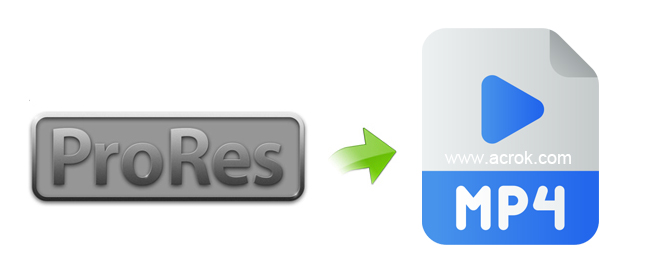
How to convert ProRes to H.264 MP4?

The Apple ProRes video codec ensures high visual fidelity and optimal editing performance within video production workflows, particularly on Apple devices. However, when playing ProRes videos in Windows Media Player, Smart TV, projector, tablet you may need to convert them to H.264 MP4 beforehand.
April 24, 2026 0
Can't import MP4 files to Vegas Pro 23 - Solved

Can’t import MP4 files to Vegas Pro 23 – Solved

“Hello, I was wondering if anyone using Vegas Pro 23 had experienced issues with .mp4 files. I’ve been trying to create a video with footage all from .mp4 files, but they are causing me a plethora of problems.”


April 22, 2026 0
Blu-ray to Google Pixel Phone | Rip Blu-ray for Google Pixel 5/4a/3

How to watch Blu-ray on Google Pixel 10 Pro XL/10a?

Can I watch Blu-ray movies on my new Google Pixel 10 Pro XL? I know I need a Blu-ray ripping software to rip and compress Blu-ray moveis, but I don’t know which program should I choose. If you have anything on your mind, I want you to come out with it. Darling, so share with…
Read more


January 8, 2024 0
Play DVD on iPhone 12

Convert DVD to iPhone 15/14/13 (Pro, Pro Max)

How to play DVD on iPhone 15/14/13, iPhone 15/14/13 Pro and iPhone 15/14/13 Pro Max? If you have some DVD discs, you may want to digitalize them, in this case you will need to convert DVD to iPhone 15/14/13 supported video formats for playing, such as convert DVD to MP4 for iPhone 15/14/13, convert DVD…
Read more


January 3, 2024 0
Play Blu-ray movies on iPhone 13

Play Blu-ray movies on iPhone 17/16/15 (Pro, Pro Max)

Apple has released its new smartphone iPhone 17 Pro Max which runs on iOS 19. It houses a 6.9 – inch Super Retina custom OLED display with a resolution of 1320 x 2868 pixels and also happily play 4K video, Battery lasts up to 1 hours longer than iPhone 16 Pro Max. All these features…
Read more


January 3, 2024 0
Edit 4K video in Windows Movie Maker

Edit iPhone 15/14/13 (Pro Max) 4K video in Windows Movie Maker

For the free editing tools Windows Movie Maker, could iPhone 15/14/13 (Pro Max) 4K MOV, MP4 files work well with them? In this article, all of us could learn the skills of handling Windows Movie Maker and iPhone 15/14/13 (Pro Max) videos with incompatible files.


January 3, 2024 0
Simple Fixes for Fujifilm X-H2S MOV Not Supported in Premiere Pro

Simple Fixes for Fujifilm X-H2S MOV Not Supported in Premiere Pro

Have some MOV videos taken by your Fujifilm X-H2S and want to edit MOV with Premiere Pro? However, if you want to import Fujifilm X-H2S MOV footage to Premiere Pro for editing, there will be some troubles since not all MOV files are supported by Premiere Pro. That’s because Premiere Pro prefers MPEG codec instead…
Read more


August 4, 2022 0
Copy Blu-ray /DVD to Galaxy Tab S7 for playing on the go

Copy Blu-ray/DVD to Galaxy Tab S8/S7 for playing

Galaxy Tab S8 is the most popular android tablet in this year, and it is one of the best android tablets on the market, it has so powerful hardware and the latest OS, so it is an ideal tablet for you if you plan to purchase android tablet. The Galaxy Tab S8 has optimization for…
Read more


April 30, 2022 0
Import 4K H.265 form Canon EOS C70 to DaVinci Resolve 17

Import 4K H.265 form Canon EOS C70 to DaVinci Resolve 17

“I know that DaVinci Resolve 17 is h.265 compatible, but apparently not with Canon EOS C70 version. It won’t import. Any work arounds?”


April 13, 2022 0

Import edit GoPro Hero 9/10 H.265 in DaVinci Resolve 17

I am having trouble importing my GoPro Hero 9 5K MP4 files in DaVinci Resolve 17. I shot it on my camera. I am converting but it converts all pixilated. I haven’t had trouble transcoding before in 1080P but this is the first time I’ve tried 5K and it doesn’t look good at all. I…
Read more


April 11, 2022 0